Download App
Medora Hub on your phone
Install Medora Hub straight from the website. No App Store or Play Store needed. It opens full-screen with its own home-screen icon.
iPhone & iPad (Safari)
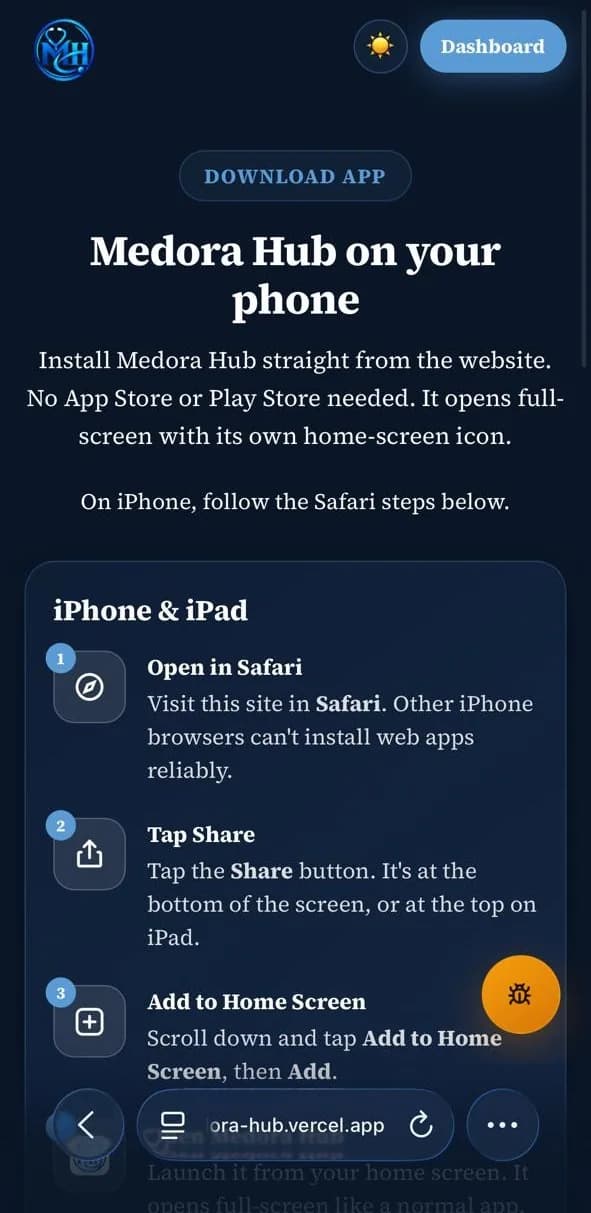 Tap here
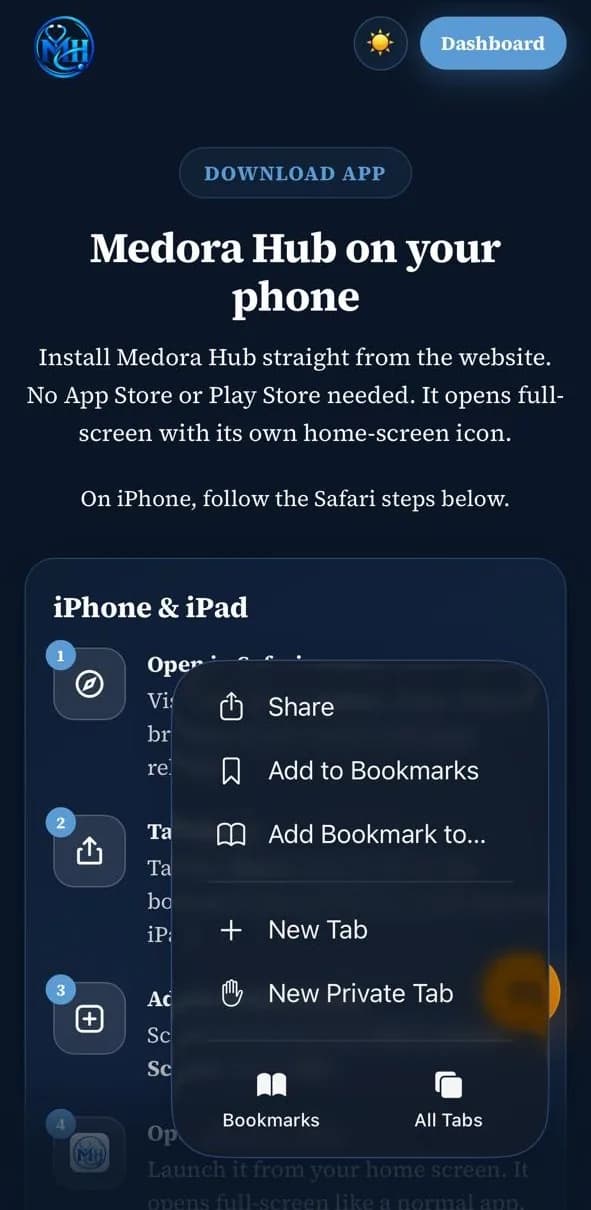
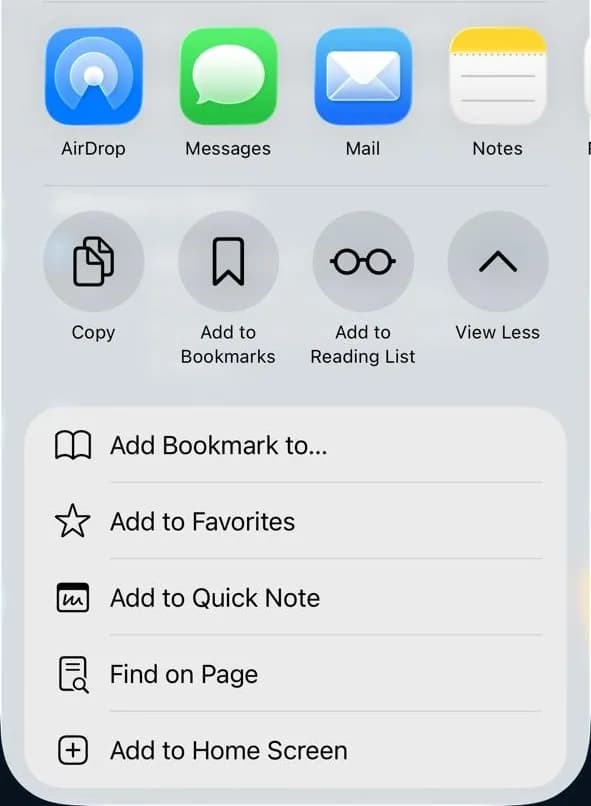
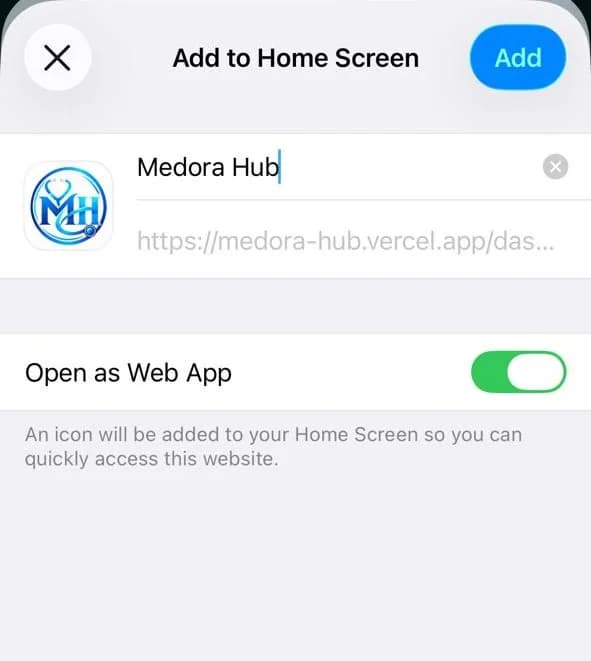
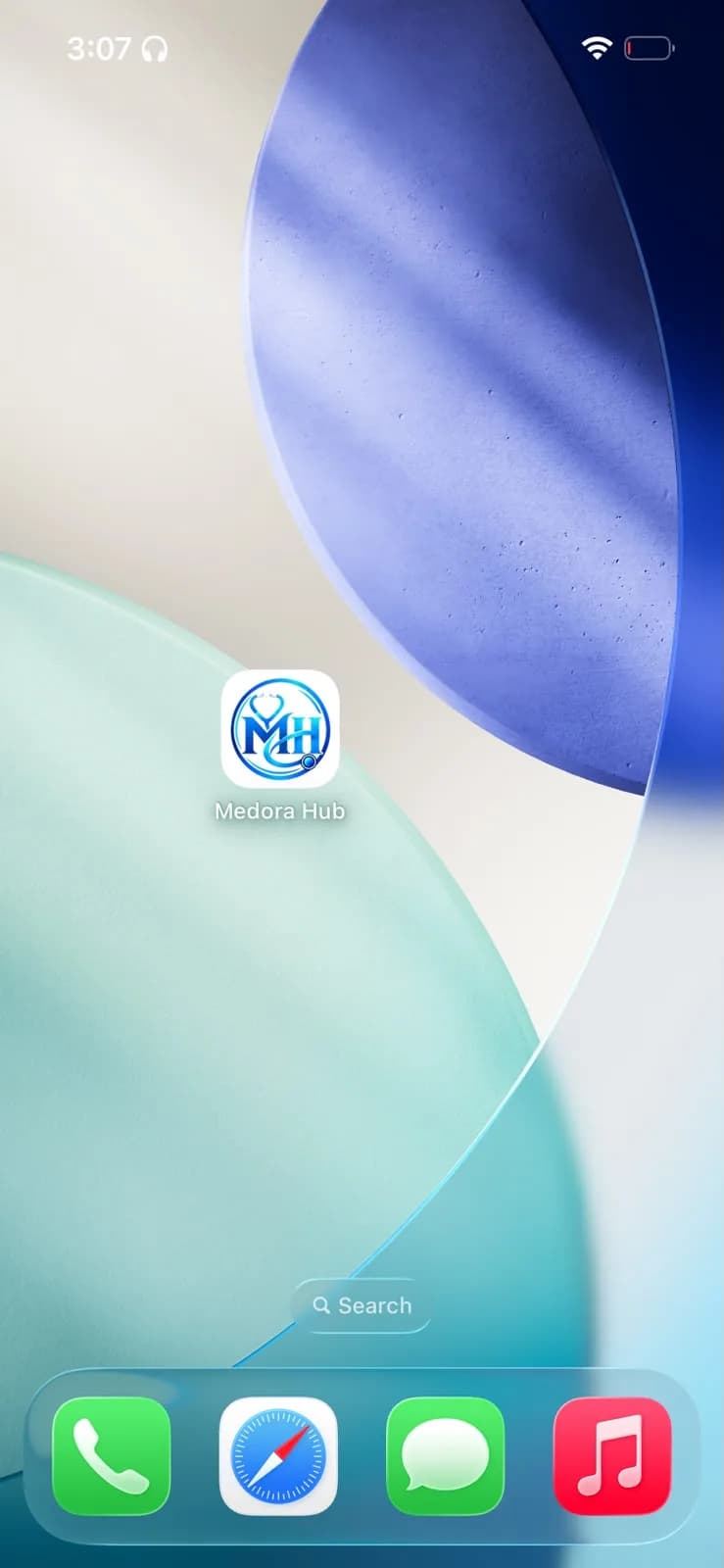
Step 1 of 5
Android
- Open in ChromeVisit this site in Chrome. Samsung Internet and Edge work too.
- Open the menuTap the ⋮ menu in the top-right corner, or use the Install app button above.
- Install appTap Install app (or Add to Home screen) and confirm.
- Open Medora HubFind Medora Hub on your home screen or in the app drawer.

Good to know
The installed app is the same Medora Hub you use in the browser. Your progress, subscription and notes sync automatically, and updates arrive without reinstalling.
On iPhone the installed app keeps its own sign-in, separate from Safari, so you'll sign in once more after installing. That counts as one of your devices.
An internet connection is required. Questions, videos and books are never stored offline.